
Discover why static “link in bio” pages are losing impact and how “link in DM” and comment-to-DM automation with Inrō drive higher engagement, personalization, and conversions.
Automate Comments and DMs in 5 Minutes
Someone comments on your IG post. They get a DM instantly. You do nothing.

Trusted by 10K+ creators and SMBs


TL;DR
TL;DR
If you have seen a post that says "comment LINK below and I will send it to you," that is comment-to-DM automation in action.
Here is what happens: the creator sets up an automation so that whenever someone comments a specific keyword on their post, the tool automatically sends that person a DM with the link. The commenter does not have to visit a bio page or do anything other than leave a comment.
From the viewer's side, it feels like the creator personally replied to them. From the creator's side, they set it up once and every comment triggers the DM automatically, whether they are online or not.
This approach converts better than link in bio for most campaign situations because a comment is an active intent signal. Someone who stops scrolling, reads your post, and types a keyword is far more interested than someone who passively visits your bio. The DM lands in their inbox at the exact moment they raised their hand.
The link can be anything: a product page, a lead magnet, a booking link, a discount code, a YouTube video, a PDF guide. Whatever you want people to click, you can deliver it automatically via DM the moment they comment.
The table below gives you the quick version, but here is the context behind it.
The click-through gap surprises most people. Link in bio gets 1 to 2% of your audience to actually click. Comment-for-link campaigns regularly see 20 to 30% of commenters follow through to the DM, and a high percentage of those click the link inside it.
The reason is intent. Someone who commented a keyword on your post specifically because you asked them to is already halfway converted. They did something. The DM is just delivering what they asked for.
The other factor is where the link lands. A bio link takes someone out of Instagram to a browser. A DM link stays inside the app, inside the inbox, which is where people are most comfortable clicking on their phone.
Comment for link also has a side effect link in bio never will: every commenter boosts your post's engagement signal, which helps the algorithm push it to more people. You get organic leads from Instagram and better reach at the same time.
A DM link is a link sent inside a direct message rather than placed in your bio.
A bio link sits on your profile page, waiting for someone to visit your profile, notice the link, click it, and get taken out of the app to a browser. Multiple steps, passive intent, high drop-off at every stage.
A DM link arrives in someone's inbox at the moment they showed interest. They commented, your automation sent them a DM, and the link is right there. One tap, stays in-app, zero extra navigation.
DM links also give you something bio links cannot: context. The link inside the DM is directly connected to the post the person commented on and the specific thing they asked for. You can write the message around it, explain what they are about to see, and set the expectation before they click. That context is a big part of why DM links consistently get higher click rates than bio links pointing to the same destination.
Decide which keywords, emojis, or hashtag calls-to-action will initiate the flow—e.g., “Comment ‘INFO’” or “Drop a 🔥 for the link.” This public opt-in ensures consent and piques curiosity.
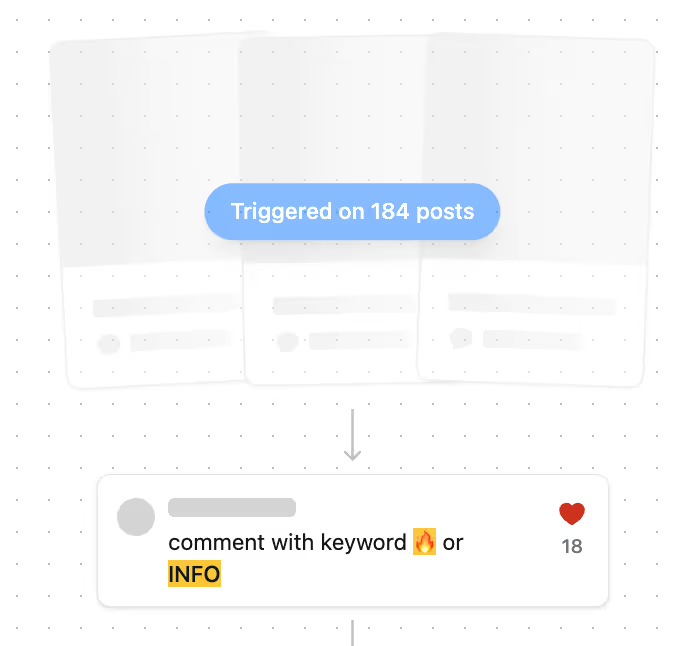
Within Inrō, build personalized DM messages and share links that automatically dispatch when a trigger is detected. For “Link in DM” scenarios, you can enrich each message with:
Auto-insert {first_name}, {product_interest}, or other custom fields.
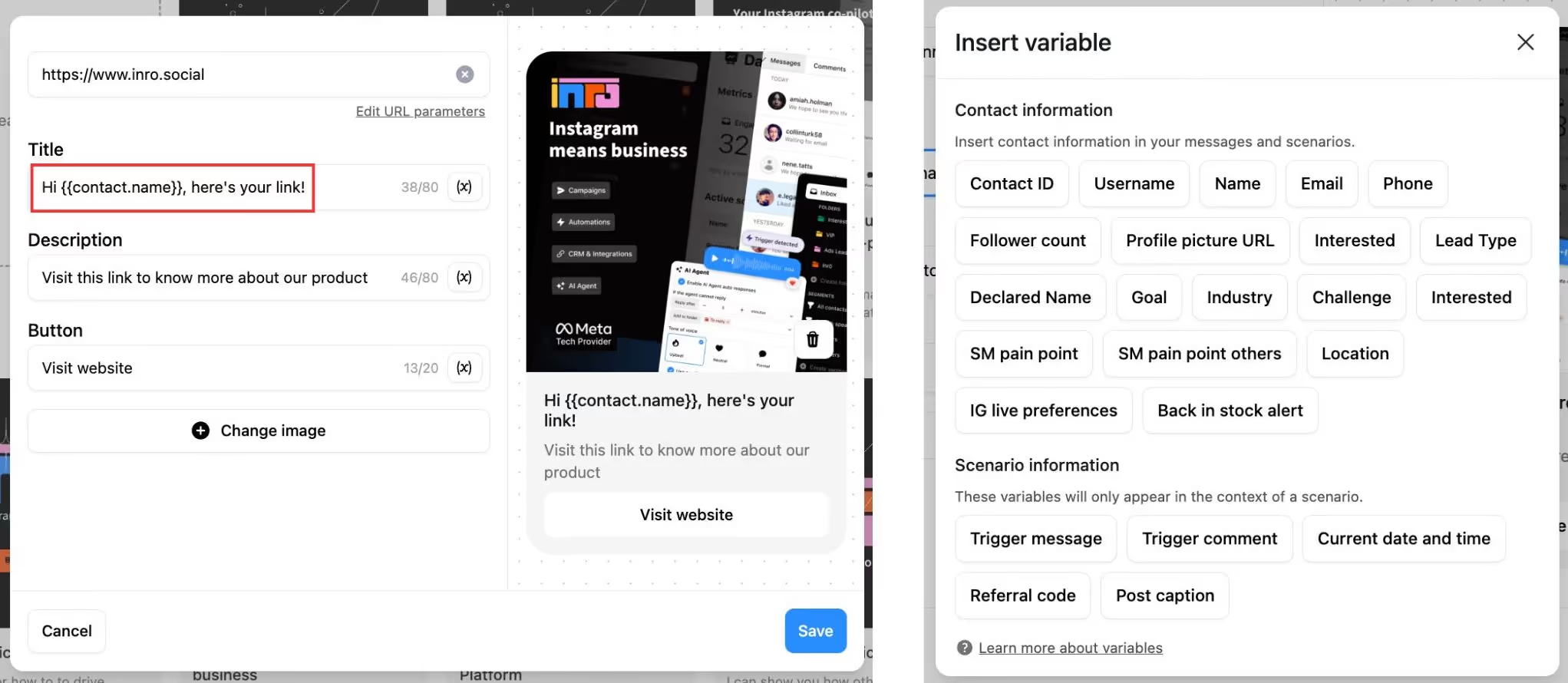
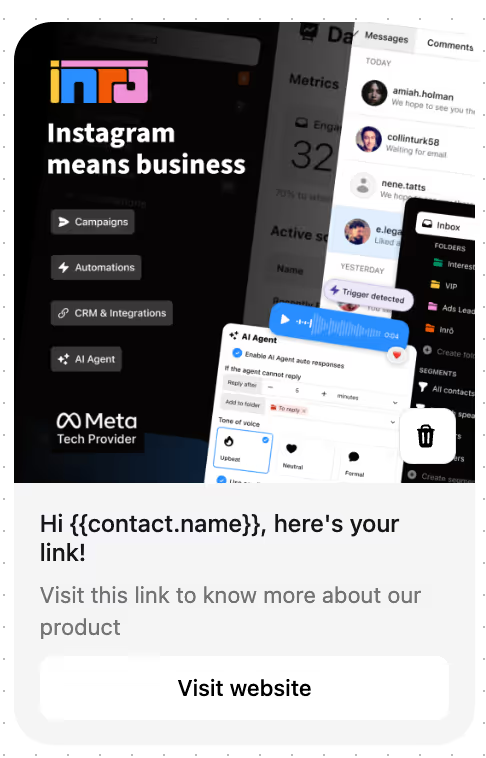
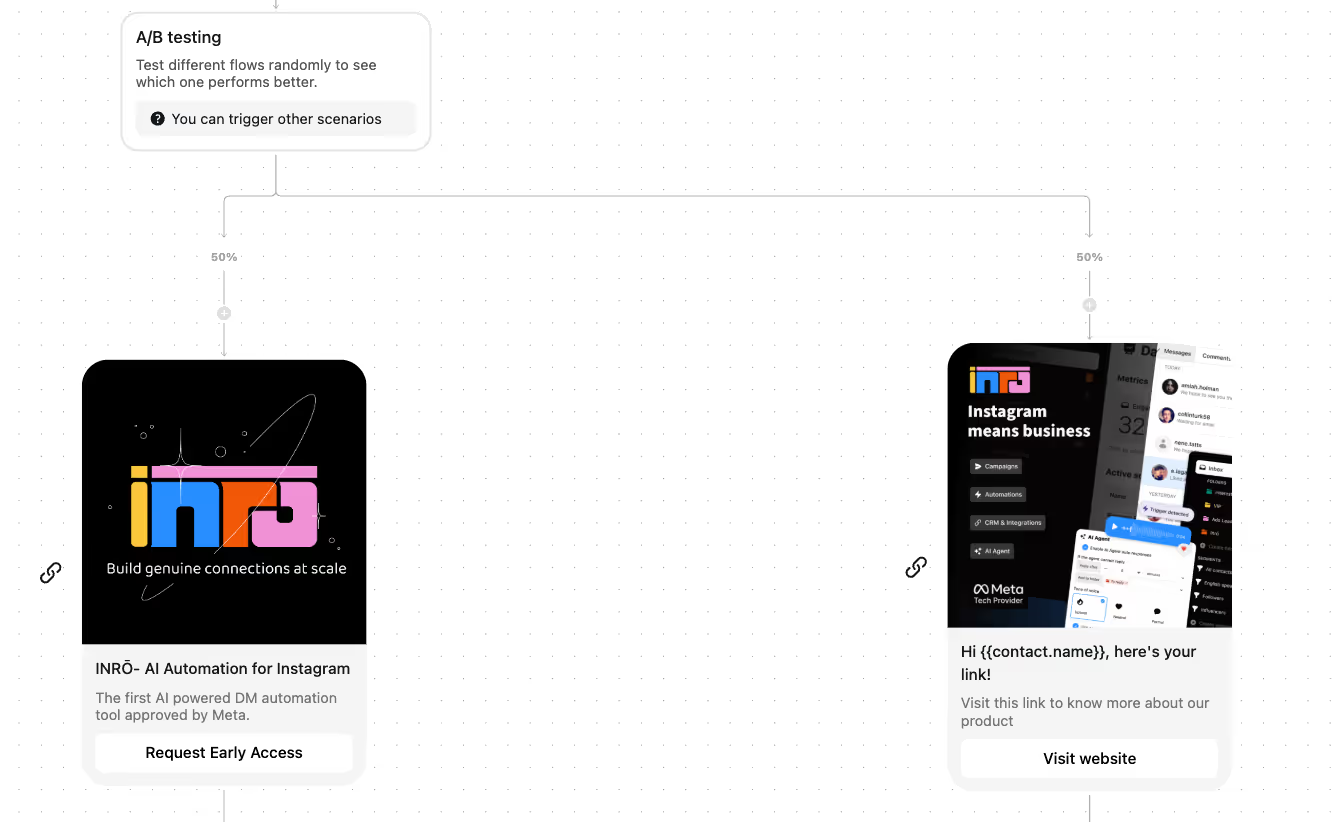
Design rich link cards featuring an image, headline, caption, and CTA button to drive clicks.
Leverage Inrō’s DM workflow builder to chain follow-up messages, surveys, or downloadable assets. Once a user comments, Inrō handles the entire conversation flow—no manual steps required.
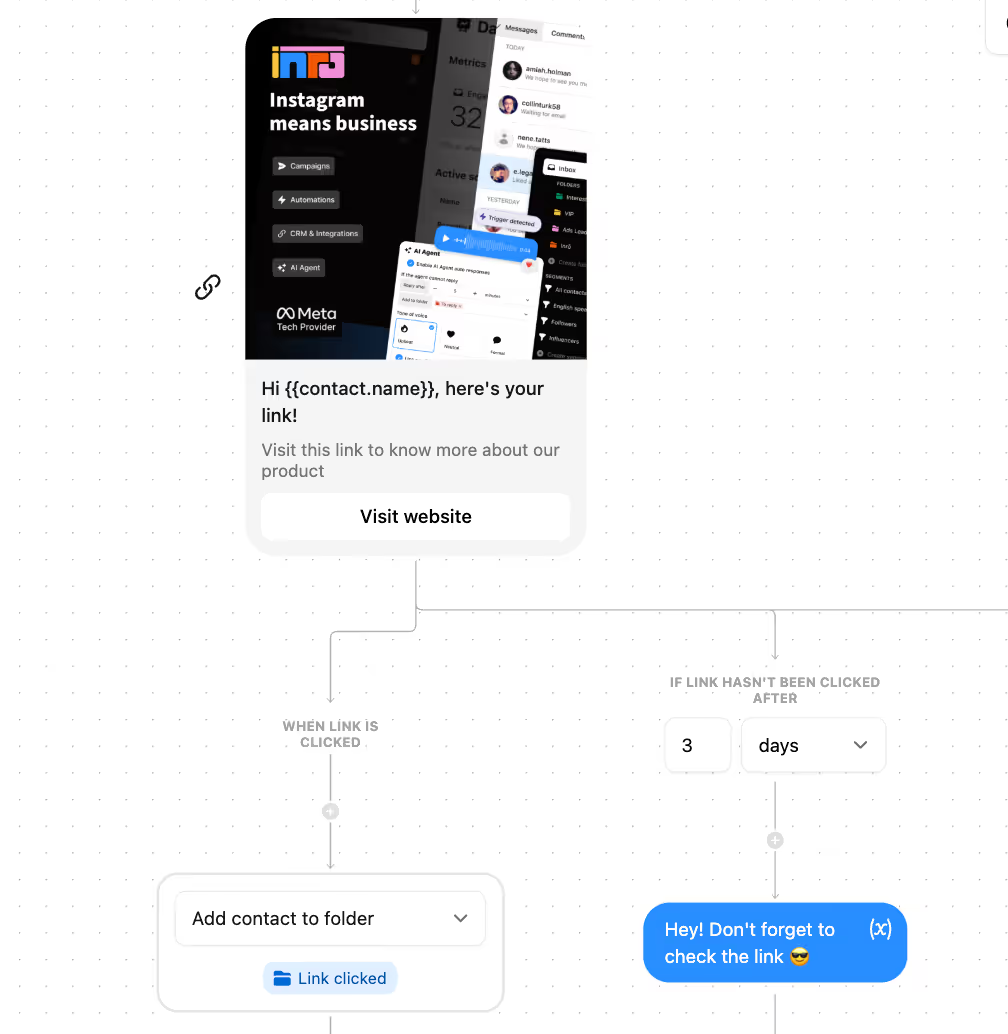
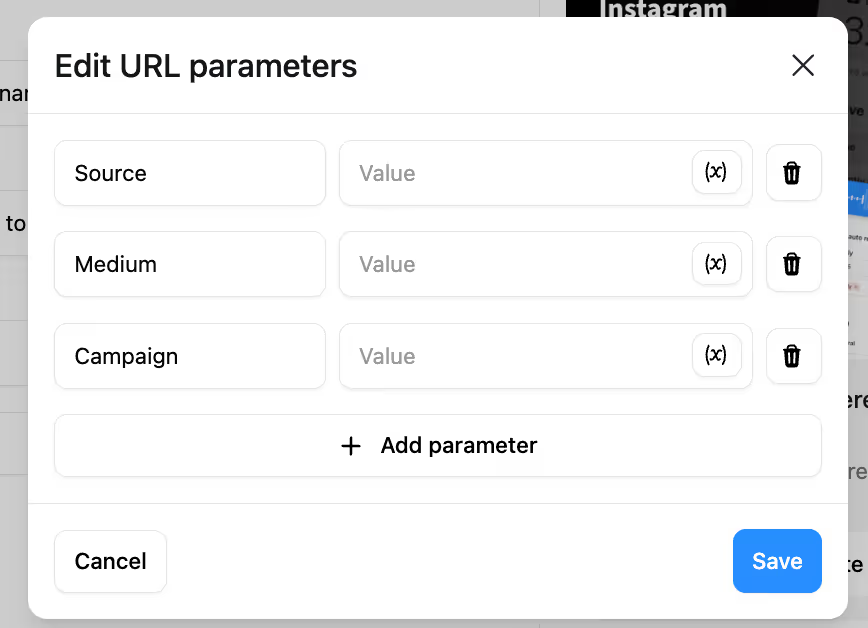
Append UTM parameters to every DM link. Inrō captures both the click event and resulting conversation data, syncing metrics to Google Cloud Analytics or AWS Pinpoint for unified reporting.
Branch your automation based on user behavior:
By using Inrō’s seamless setup, you turn simple post comments into personalized, trackable conversations—driving higher engagement and conversion rates.
These are not competitors. They serve different purposes and work best together.
Use link in bio for:
Use comment for link for:
Bio is your passive always-on presence. Comment for link is your active campaign mechanism. Run both, but put your actual conversion goals into the automation.
"Comment 'LINK' to get early access" gives people an exact action. Vague CTAs like "comment below for the link" convert at a lower rate because people are not sure what to type.
Use Inrō's dynamic fields to insert the person's first name and reference the specific content they engaged with. Generic openers ("Hey! Here's the link") convert lower than contextual ones ("Hey [name], here's the guide you asked for from today's post").
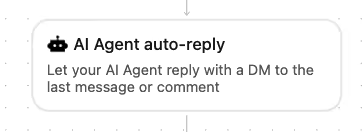
Simple, single-word keywords ("LINK," "YES," "SEND") get higher comment compliance than longer phrases. If you want specificity, use something short and obvious that relates to the content: "RECIPE," "PLAN," "GUIDE."
If someone did not click the link within 48 hours and they have opted in, send one follow-up message with a slightly different angle. More than one follow-up starts to feel like spam.
Experiment with comment keywords, DM send times, message lengths and link designs for improved CTR.
Always include an opt-in or 'interested' button in your first automated message to someone who comments. Instagram only allows one message unless they accept your request, but if they tap the button, they become an 'active' contact, allowing you to send follow-ups and full DM campaigns.
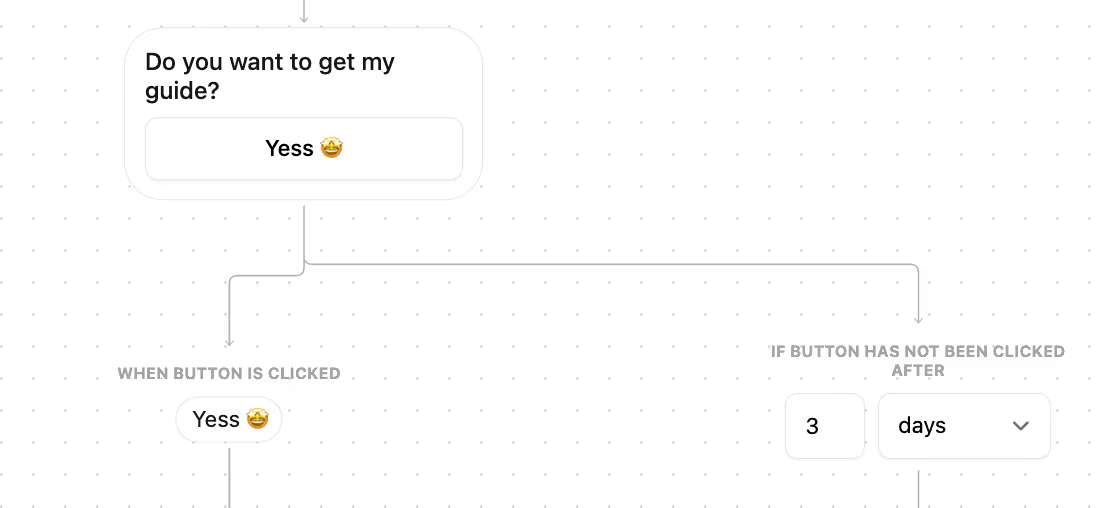
Inrō elevates DM-centric strategies by offering:
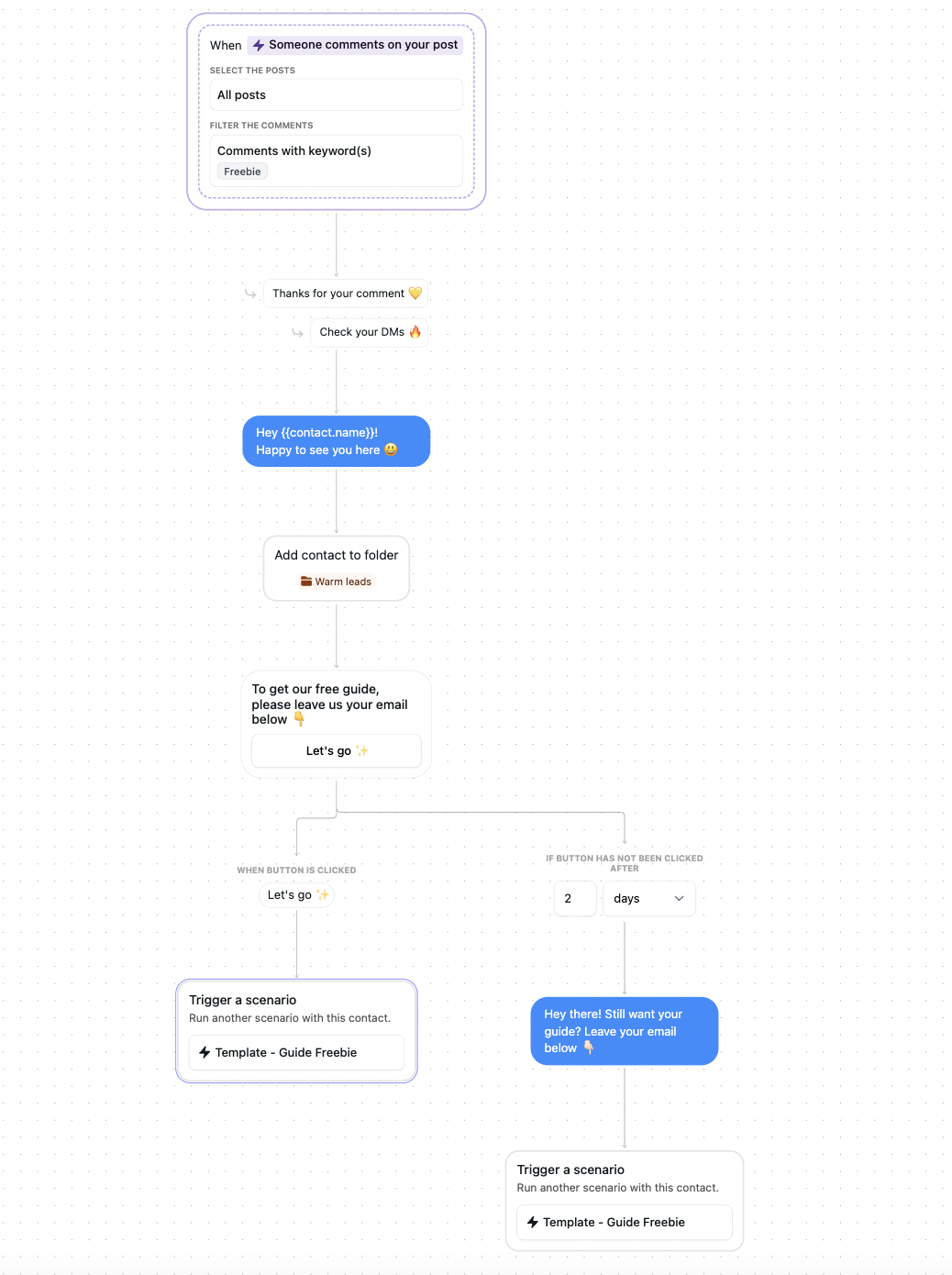
Every commenter becomes a contact. Every contact gets your link automatically


Platforms like Instagram deprioritize external links in feeds to keep users in-app. Bio links also have no personalization — one static page cannot match what different visitors are looking for. Comment for link automation is contextual, personal, and sends the link directly to the person at the moment they asked for it.
It means someone comments a specific keyword on your post and receives an automatic DM with the link inside it. The creator sets this up once using a tool like Inrō, and every qualifying comment triggers the DM automatically.
A DM link is a link delivered inside an Instagram direct message rather than placed in a bio. It arrives in the recipient's inbox at the moment they showed interest, stays inside the app, and gives you space to add context around what they are about to click.
"Link in DM" describes any situation where a link is sent via direct message. Comment-for-link automation is a specific type where the DM is triggered by a public comment on a post. The comment serves as both the opt-in signal and the intent indicator.
Yes, and you should. Use bio for evergreen resources and your homepage. Use comment for link for specific campaigns, offers, and launches. They are not in competition.
Track comment-to-DM conversion rate (how many commenters received the DM), DM link click rate (how many clicked the link inside the DM), opt-in button tap rate (how many became reachable contacts), and downstream conversions. Inrō's dashboard shows all of these in one place.
Yes. Comment triggers work on feed posts and Reels. Reels with a comment CTA in the caption often see higher comment volume because of the wider organic reach Reels get by default.
Join automations strategies and Instagram Insights weekly
By entering your email address above and clicking Subcribe, you consent to receive marketing communications (such as newsletters, blog posts, event invitations and new product updates), and targeted advertising from Inrō from time to time. You can unsubscribe from our marketing emails at anytime by clinking on the "Unsubscribe" link at the bottom of our emails. For more information about how we process personal information and what right you have on this respect, please see our Privacy Policy.
Attract more leads, target them with DM marketing, and automate your interactions on Instagram!

.png)
.png)
.png)